All you need to know to start working with react
 Abhinandan Mishra
Requirements:
Beginner with basic knowledge of HTML, CSS, js and using terminal.
Node.js should be installed in your system - Install
A code editor for writing codes. ( I prefer VScode)
Create a react app:
Create a folder -
start-reactGo to folder location in terminal using -
cd start-reactRun command
npx create-react-app ., this command initializes the current folder as a react app.
Folder Structure:
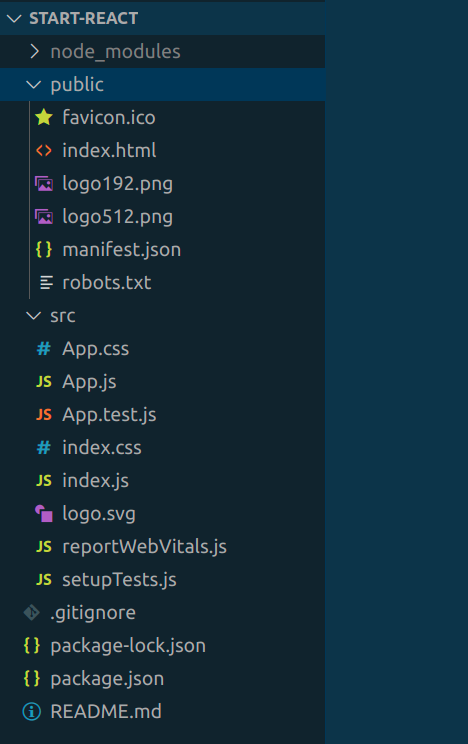
node_modulesis a folder that contains all the packages and their respective dependencies that are required or used in the project.Dependencies are external libraries or modules that have been used or are needed to run the react application.
package.jsonhas a list of all thedependenciesused in the project.package.lock.jsoncontains information on specific versions of those dependencies.
publicfolder contains some files of whichindex.htmlis the most important file and it has only onedivpresent in its body withid = "root". This div is the main container where all react code will be rendered.srcthe folder is the most important folder which you will deal with most of the time.It has three main files
index.js,index.cssandApp.js. All files other than this can be deleted and we can create project-related files when needed.index.jsthe file is the root file that connects our react codes to theindex.htmlpresent inpublicfolder using thedivwithid = "root".App.jsis nothing but the main or first component of the react app which is rendered.This code of
index.jswill make it more understandable to you.import React from 'react'; import ReactDOM from 'react-dom/client'; import './index.css'; import App from './App'; const root = ReactDOM.createRoot(document.getElementById('root')); // this root refers to the div in the index.html of public folder root.render( <React.StrictMode> <App /> </React.StrictMode> ); // render is a method in React which renders the react componentsDo this to your src folder:
Remove all the files inside src folder except
index.js,App.jsandindex.css.Update the
index.jsas followsimport React from 'react'; import ReactDOM from 'react-dom/client'; import './index.css'; import App from './App'; const root = ReactDOM.createRoot(document.getElementById('root')); root.render( <React.StrictMode> <App /> </React.StrictMode> );Update the
App.jsas followsimport React from 'react'; const App = () => { return ( <div> Hello Learners! </div> ) } export default App
Now open the terminal, go to the location of
start-reactdirectory the location in whichnode_modulesis present and runnpm start.This will open a page on your default browser.
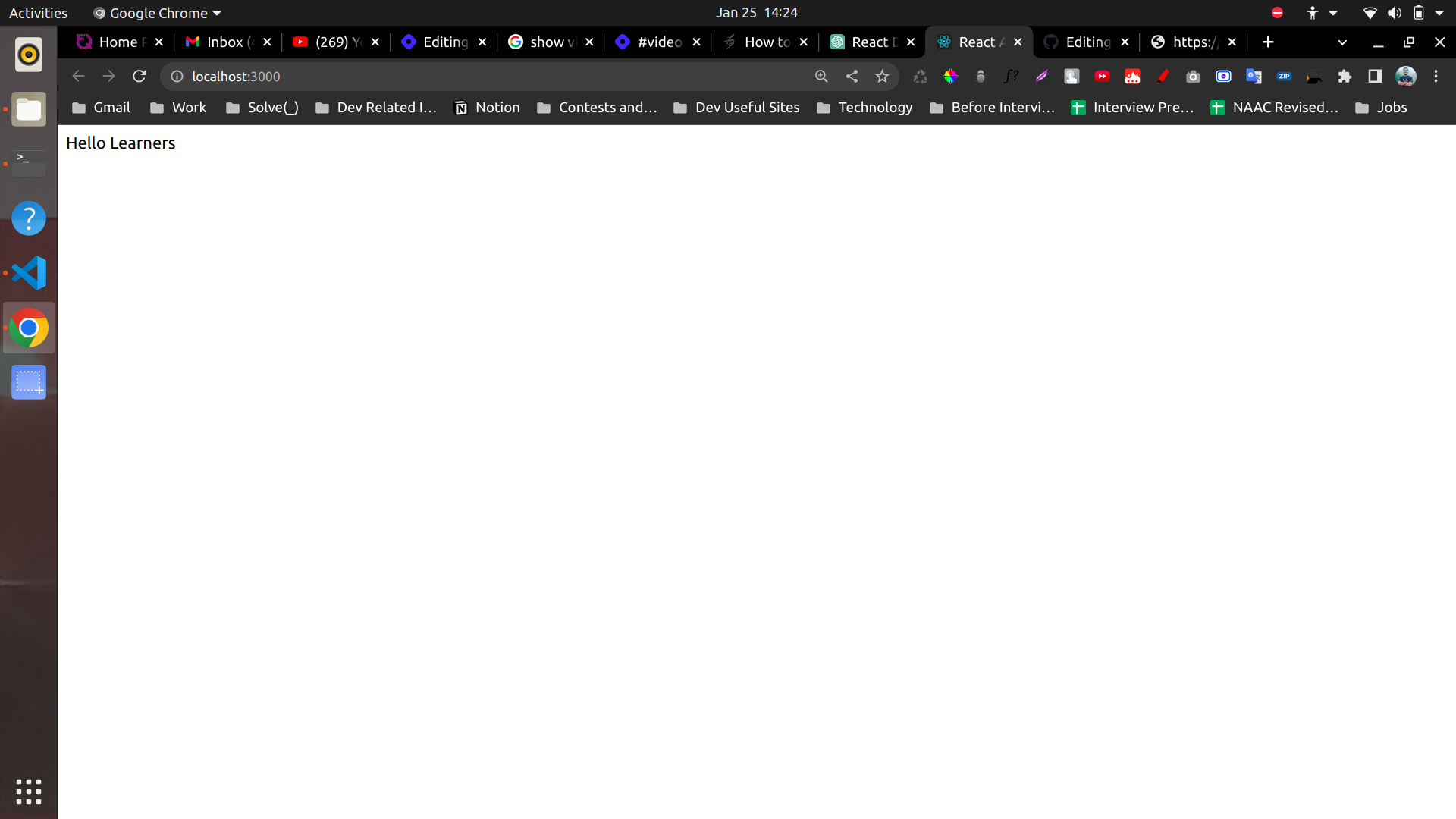
Great! Now you're set up to work on react and you have created your react app.
What did we learn?
In this lesson, we learned how to set up our system to create a react app.
Then we understood what is the folder structure.
node_moduleswhere all the codes for packages and dependencies are present.package.jsoncontains the list of dependencies whereaspackage.lock.jsoncontains information about the versions of the dependencies used in the app.publicfolder containsindex.htmlwhich has onedivwithid = "root"where all the react code is rendered.The most important folder is
the src, has three main filesindex.js,index.cssandApp.js.
Next Lesson?
- In the upcoming lessons I will teach you about how to write html in react, how to use javascript variables to change html easily, concept of props and more.
Till then, bye!